How to Check If a Website Is Down, or If the Problem Is at Your End
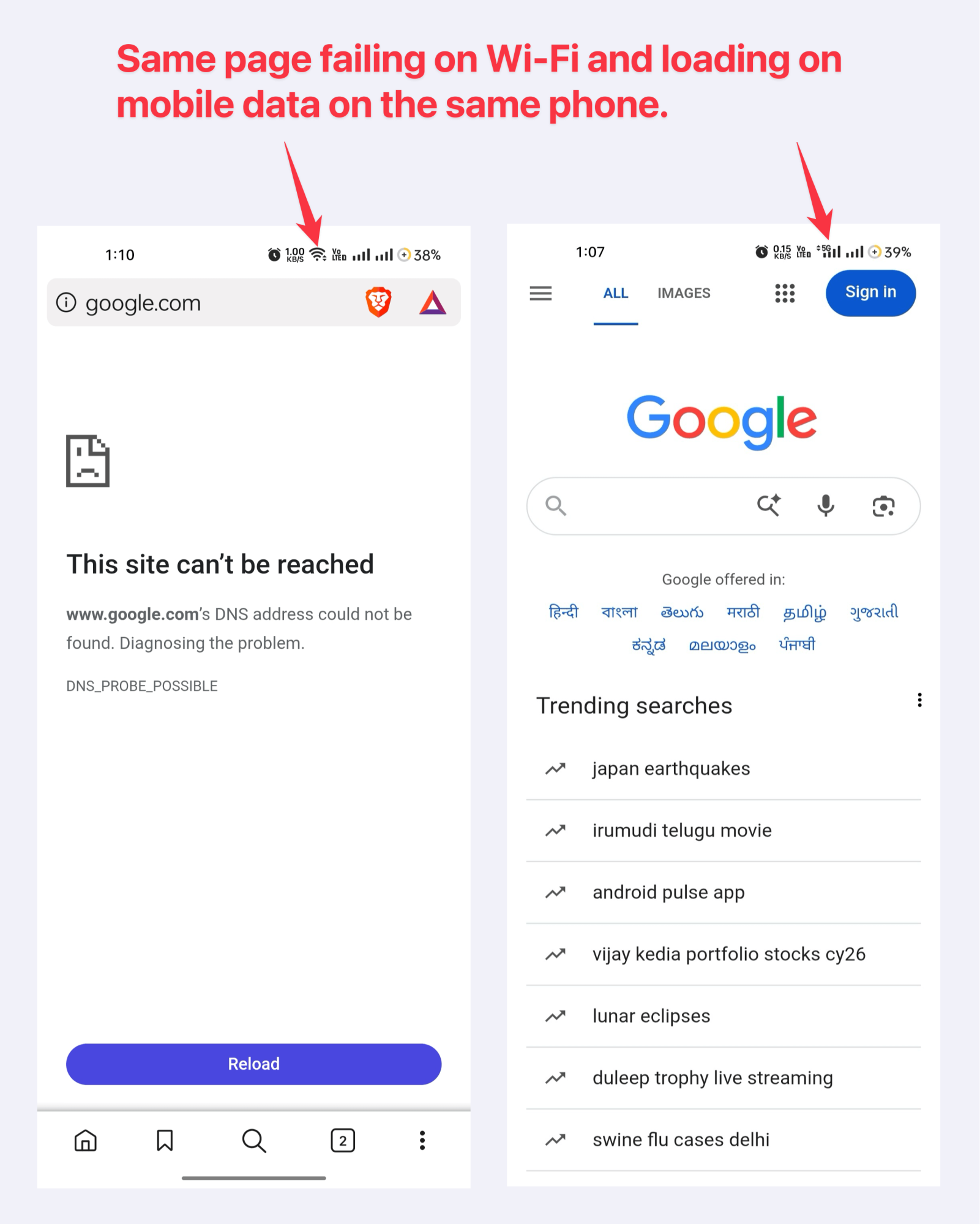
Turn off Wi-Fi and load the same page on mobile data. If it opens, the website is fine and your connection is the problem. If it fails on both, the problem is further out. That one test takes twenty seconds and settles most cases.
That answers what most people are actually asking, which is whether a website is down for everybody or only for them. Everything below is for when the test does not settle it, or when you need to know whether to keep waiting or start doing something else.
The sixty second check, in order
Work down this list and stop at the first step that gives you an answer.
Switch networks. Wi-Fi to mobile data, or the other way. This separates your connection from everything else in one move.
Try another device. If the site loads on your laptop but not your phone, it is the phone, an app version, or something cached on it.
Open it in a private window. This rules out a stale cache, a broken cookie or a browser extension. If it works in private mode, clear the site data in your normal browser.
Try the app against the website, and the website against the app. These fail separately and often. A bank app can be dead while net banking loads fine on a laptop.
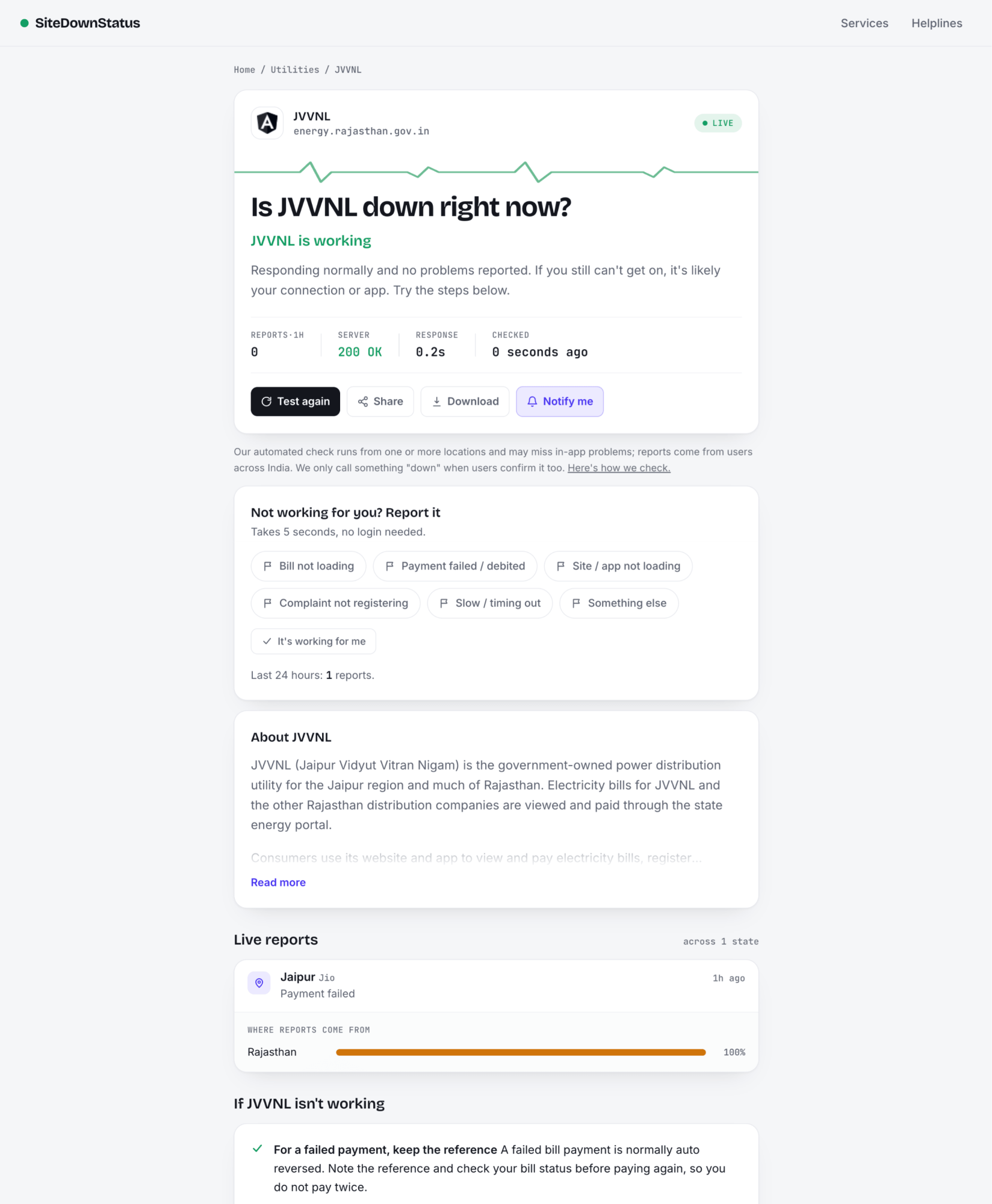
Check whether other people are reporting it. If reports are spiking across several cities at once, it is the service. If nobody else is reporting anything, look back at your own setup.
If steps 1 to 4 all point the same way and the answer is still not obvious, step 5 is the one that decides it, which is the whole reason outage trackers exist. One person cannot tell whether a website is down. A few hundred people across different cities can.
When a website is down but the server still answers
This is the part most people get wrong, and it is worth understanding because it changes what you do next.
An automated check usually asks a server one question: are you there? The server answers with a status code. But a service is more than a server answering the door. Your bank's homepage can load perfectly while UPI payments from that same bank are failing, because the website and the payment rail are different systems. So "the site responded" is not the same as "the thing you wanted to do works".
Common codes and what they actually mean for you:
What you see | What it means | Is it you or them |
|---|---|---|
Page loads normally (200) | The server answered | Them, if the feature you need still fails. The site being up proves less than people think. |
403 Forbidden | The server is alive and refusing the request | Usually neither. Many Indian sites, IRCTC among them, block automated checks on purpose. A human browser still gets through. |
404 Not Found | That page does not exist | The link, not the site |
500 or 502 or 503 | The server has broken, or is overloaded, or is under maintenance | Them, clearly |
504 Gateway Timeout | Something behind the server did not answer in time | Them, usually a database or an upstream service |
Takes forever, then nothing | Timeout. Could be them, could be your route to them | Ambiguous. This is where step 1 earns its place. |
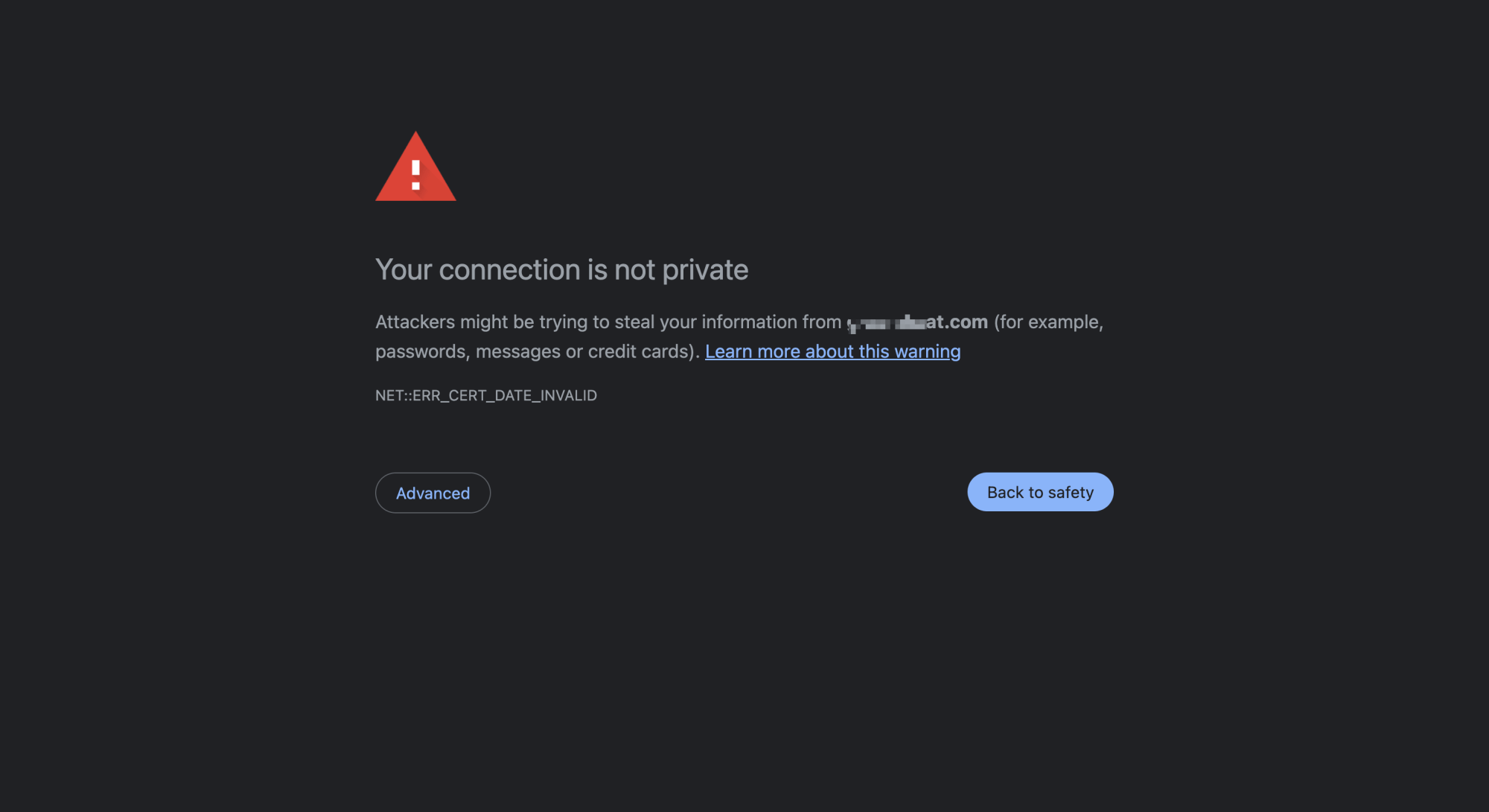
Security or certificate warning | The connection could not be trusted | Often you. Check your device date and time first, a wrong clock breaks certificates. |
The 403 case matters more in India than most places. A tracker that only reads status codes will call IRCTC down every single day, because IRCTC refuses automated requests by design. That is a badly built check, not an outage.
The problems that look like an outage but are at your end
Rule these out before you decide a website is down, especially if you are the only one complaining.
DNS. Your device asks a DNS server where a site lives. If that lookup fails or returns something stale, the site is unreachable for you and perfectly fine for everyone else. Switching to mobile data changes your DNS server, which is another reason step 1 works so well.
Your ISP, in your area. Broadband and mobile faults are frequently local. A whole locality can be out while the rest of the city is fine, so "my neighbour also cannot open it" is weak evidence about the website and strong evidence about your area.
Data pack finished or throttled. Pages half load and images never arrive. Looks exactly like a struggling server.
Office, hostel or campus networks. Plenty of them block categories of sites. The site is not down, it is blocked for you.
Extensions and ad blockers. These break payment pages and embedded content regularly, and the failure looks like the site's fault.
A stuck app version. Force close, then reopen. If that fails, check for a pending update. Apps sometimes stop working against a server that has already moved on.
Why outage trackers built elsewhere get India wrong
Global trackers are useful and we are not going to pretend otherwise. But they were built around a different set of problems.
An Indian outage usually looks like one of these. UPI declines at one bank while every other bank is fine. Signal disappears across a few PIN codes while the operator is up nationally. A government portal buckles on the last day of a deadline. A result site collapses at 2 pm on result day. None of these show up as a dead server, and a check that only pings a homepage will report everything normal while lakhs of people cannot do the thing they came to do.
The question is rarely just whether a website is down. It is whether the particular thing you came to do still works. That is why user reports have to carry more weight than the server check. A server can answer while the feature is broken. People cannot be wrong about their own payment failing.
One thing we are not going to pretend about. On 18 November 2025, when Cloudflare had a major outage that took down X and ChatGPT, Downdetector went down along with it, because it runs on Cloudflare. So do we, and so does a large part of the Indian internet. Any tracker sitting behind the same few providers as the services it watches will have days when it cannot help you. That is an argument for having a second way to check, not for trusting any one site including this one.
When it really is down
Once you have established the website is down for everyone, the useful moves are limited but they are real.
Stop retrying payments. This is the one that costs money. Repeating a payment against a struggling system is how people end up with two debits instead of one. If an amount is already stuck, our guide on failed UPI payments covers what happens next.
Check the company's own status page or official handle. Most large platforms publish one, and it is the only place you will get a cause rather than a guess.
Check whether it is the service or the layer under it. Big outages are increasingly not the app's fault at all. The AWS failure on 20 October 2025 generated more than 1.7 crore user reports worldwide and ran over 15 hours, and it started with a DNS problem inside one Amazon system. Cloudflare's collapse a month later produced 33 lakh reports in about five hours. Between August 2024 and August 2025, the three biggest cloud providers had more than 100 outages between them. When several unrelated apps break at once, the cloud underneath them is usually why.
Do not expect an exact restore time. Nobody outside the company has one. Most short outages clear within an hour, and anyone giving you a specific minute is guessing.
Report it. Not for our benefit. A tracker is only as good as the number of people telling it what they are seeing, and the person searching ten minutes after you gets a real answer instead of a blank page.
What we do, and what we do not claim
Two signals, weighted deliberately. We run a check from our own server to see whether a service responds, and we count what users across India are reporting. Reports matter more, because of everything above.
When our check cannot reach a service but nobody is reporting a problem, we say we could not reach it. We do not call that down. When a service answers our check but reports are climbing, we say reports are climbing, because the users are almost certainly right and the server is almost certainly answering a question nobody asked. Every service page carries the time of the last check, and how we do it is written down rather than implied.
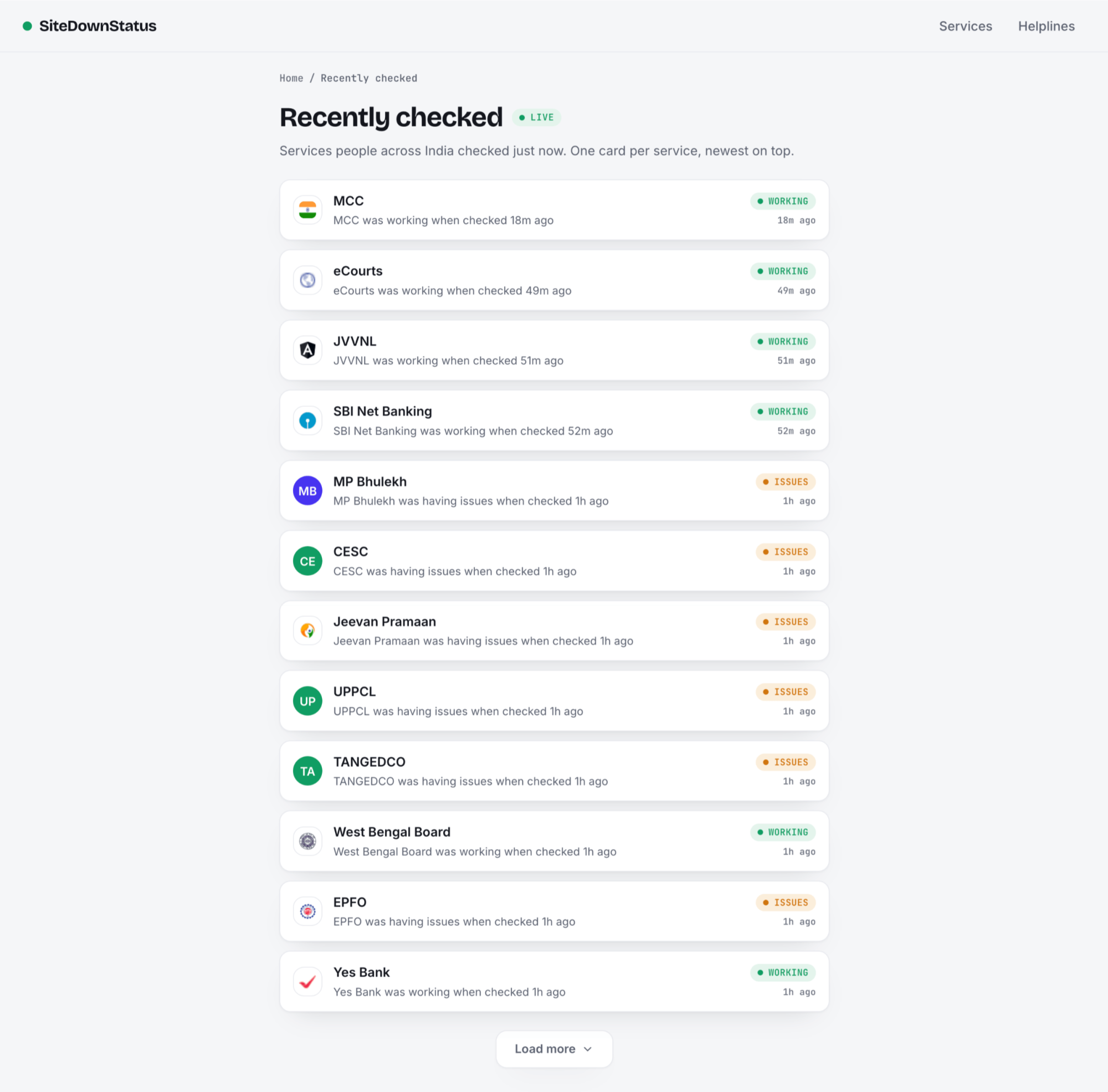
You can check the live status of any Indian service here, and if something is broken for you, saying so takes one tap and helps whoever searches next.
Before you spend twenty minutes on a helpline, spend twenty seconds on mobile data. Most of the time that is the whole diagnosis.